CYAN BRAIN delivers a brutal sci-fi side-scrolling experience, but does its “retro” look mean it runs on a toaster? Not necessarily.
While the official requirements look modest on paper, the intense particle effects and fast-paced combat can surprisingly tax older systems. If you are wondering if your rig can handle the carnage—or why you are experiencing frame drops during boss fights—this guide covers everything from official specs to real-world optimization tricks.
Quick Summary (TL;DR)
Minimum GPU:GTX 650 / Radeon HD 7750 (1GB VRAM).
Real-World Reality: Integrated graphics (Intel UHD) may struggle to maintain 60 FPS during heavy action.
Storage:SSD is highly recommended to eliminate stuttering between fast-paced levels.
Low FPS Solution: If hardware limitations make dodging impossible, XMOD’s God Mode can help you bypass frustration caused by lag.
Table of Contents
Editor’s View: It’s Not Just About “Running” It
Official System Requirements (Minimum vs. Recommended)
“I tested CYAN BRAIN on two very different setups: a mid-range gaming laptop (RTX 3060) and an aging office desktop (Intel Integrated Graphics).
On the dedicated GPU, it was buttery smooth. But on the office PC? While technically ‘playable,’ the frame rate dipped significantly during screen-filling explosions. In a game that demands pixel-perfect dodges, dropping from 60 FPS to 45 FPS feels like moving through mud. Don’t trust the ‘minimum’ specs blindly if you want to actually beat the game. Responsiveness matters more than resolution here.”
Official System Requirements
The developers at NEKOUJI have released a single tier of requirements, implying that the game scales linearly. However, based on 2025 standards, here is the breakdown:
Component
Official Requirements (Target: 720p/30FPS)
Recommended for 1080p/60FPS
OS
Windows 10 / 11 (64-bit)
Windows 10 / 11 (64-bit)
Processor (CPU)
Intel Core i3 class or equivalent
Intel Core i5 / Ryzen 5 (for stability)
Memory (RAM)
4 GB RAM
8 GB RAM (Dual Channel)
Graphics (GPU)
GTX 650 / HD 7750 (1 GB VRAM)
GTX 1050 Ti / RX 560 (4 GB)
DirectX
Version 11
Version 11
Storage
2 GB available space
SSD Recommended
Note: While 4GB RAM is listed, Windows 10/11 often eats up 3GB by itself. 8GB is the realistic minimum for a stutter-free experience.
Real-World Performance Notes
Why does a 2D game lag?
In CYAN BRAIN, the performance cost doesn’t come from complex 3D polygons, but from alpha transparency effects (explosions, smoke, laser beams).
The “Fill Rate” Problem: Older GPUs (like the GTX 650) struggle when too many transparent layers overlap on screen. This is why your game might run fine while walking, but crawl to a halt when a boss attacks.
CPU Bottlenecks: The game logic (enemy AI, bullet physics) runs on the CPU. If you have many background apps open (Chrome, Discord), your CPU might choke during intense waves.
Optimization Checklist: Fix Stutter & Lag
If your FPS is dropping, try these steps in order:
Enforce High-Performance Mode:
Go to Windows Settings > System > Display > Graphics.
Find CYAN BRAIN, click Options, and select “High Performance” (force it to use your dedicated GPU, not the integrated one).
The “Fullscreen” Trick:
Run the game in Exclusive Fullscreen mode rather than Borderless Window. This gives the game priority access to your GPU resources.
Cap Your FPS:
If your FPS fluctuates wildly between 40 and 60, use NVIDIA Control Panel or RTSS to cap the frame rate at 30 or 40 FPS. A stable 40 FPS feels much smoother than a jittery 60 FPS.
Move to SSD:
As a side-scroller, the game streams assets constantly. An old HDD can cause “micro-stutters” every time a new enemy type loads in.
How XMOD Compensates for Low-End Hardware
This is a controversial but practical tip: Lag makes action games harder.
If your PC drops frames right when you try to dodge, the game might register your input too late, causing you to take unfair damage.
XMODhub acts as an accessibility tool for low-end PC users:
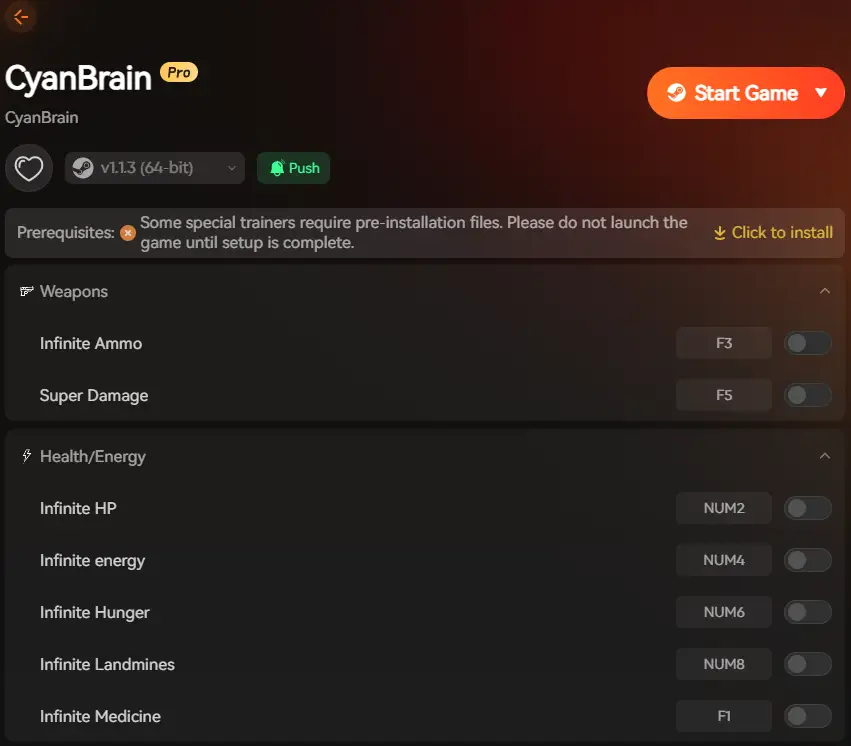
Infinite Health (Lag Protection): If your screen freezes and you can’t dodge a boss attack, this feature ensures a technical hiccup doesn’t ruin your run.
Game Speed Control: Is the game running too choppily? Slow down the gameplay speed via XMOD (e.g., to 0.8x). This gives your GPU more time to render each frame and gives you more time to react to choppy animations.
A: Yes, modern integrated chips (Intel UHD 630 or newer) can handle it at 720p. However, expect slowdowns during busy scenes.
Q: Why is my input lag so high?
A: Ensure V-Sync is turned OFF in the game settings or your GPU control panel. V-Sync fixes screen tearing but adds significant input delay, which is fatal in action games.
Q: Does RAM speed matter?
A: For this specific game, capacity (having at least 8GB total) matters more than speed (DDR4 vs DDR5).
Conclusion: Smooth Action Matters
CYAN BRAIN is a gem of an action shooter, but it deserves to be played smoothly. While the official requirements are low, achieving that locked 60 FPS “arcade feel” requires a balanced entry-level gaming PC.
Follow our optimization checklist, upgrade to an SSD if you haven’t yet, and remember: if your hardware is holding you back from enjoying the story, XMODhub is there to even the playing field.
I am a passionate gamer and writer at XMODhub, dedicated to bringing you the latest gaming news, tips, and insights.
Connect with me:
LinkedIn Profile ↗
How to Survive the Minotaur Curse Puzzles in Resonance: A Plague Tale Legacy
You are trapped in the labyrinth, the walls are shifting, and the oppressive darkness of the ancient island is closing in. If you are searching for how to survive the Minotaur Curse puzzles…
Best SurroundedByBoys Mods Tool (2026): Safe Downloads & No-Crash Guide
Quick Answer: What is the best and safest SurroundedByBoys mods tool? To modify your gameplay safely without corrupting your save files, you need to use the right SurroundedByBoys mods tools: XMODhub: The absolute…
One thought on “CYAN BRAIN System Requirements: PC Performance Guide & Optimization Checklist (2025)”
Great insight into the game’s hardware demands! It’s surprising how a retro-style game can still push modern systems to their limits with all the particle effects and action. I’d love to see a deeper dive into how specific settings can impact performance on mid-range setups, as that’s where most players seem to fall.

 Catherine Hu



 Nancy Miller
Great insight into the game’s hardware demands! It’s surprising how a retro-style game can still push modern systems to their limits with all the particle effects and action. I’d love to see a deeper dive into how specific settings can impact performance on mid-range setups, as that’s where most players seem to fall.